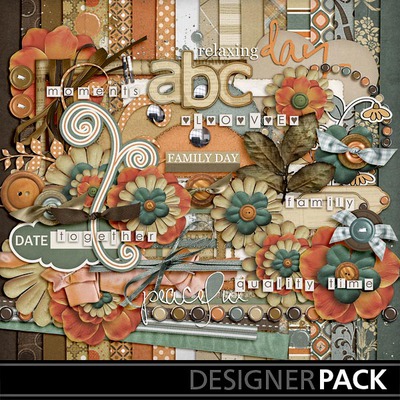
Customizing Photobook: Tutorial and Freebie

Did you know that you can get a FREE photobook?
If you create a photobook and then choose to share with professional printing you can get a FREE 6×6 Photobook.
Just use code BK6FRE on the ordering page and you can get a FREE book!
What’s even better about this deal is that you can also share this offer with your readers.

You can get more details at http://www.mymemories.com/lifetime

Here’s the video tutorial:

My Memories Suite V3 is #1 rated digital scrapbooking software! This is the super easy software for digital scrapbooking I ever used! This software can do many things that Photoshop/Photoshop Element can do, and way cheaper! You can try the MMS for FREE before you buy it! You will find out by yourself what you can create with this software. Moreover, you can get $10 OFF with my special code STMMMS3393 (sensitive case, just copy and paste the code when you check out). PLUS you will get $10 gift certificate to the online digital store! How’s that for saving money? 😀

Purse Cards: Tutorial and Freebies

Today we have a great freebie for you!! Woohoo! Who doesn’t like Freebies?! 😀
Purse Cards that you can use for tea parties, bridal showers, baby showers, baby announcements: the possibilities are endless what you can do with these cute cards. They even work great as a fun dress-up for little girls.


Purse Card Kit 1


Purse Card Kit 2


Purse Card Kit 3

Now, all of MyMemories Friday Freebies will be MyMemories Suite V3 Compatible. What does that mean??.? It means that you can now load the freebies directly into your MyMemories Suite V3 Software, and then completely customize them with any paper and embellishments that you have.

MyMemories Suite V3 is #1 rated digital scrapbooking software. This is the super easy software for digital scrapbooking I ever used! This software can do many things that Photoshop/Photoshop Element can do, and way cheaper! You will find out by yourself what you can create with this software. You can get $10 OFF with my special code STMMMS3393 (sensitive case, just copy and paste the code when you check out). Plus you will get $10 gift certificate to the online digital store. How’s that for saving money? 😀

Tutorial to customize your Purse Cards using MyMemories Suite V3:

1. Download template file and install it into your software
2. Using MyMemories Suite, choose Create Album From Designer Template and find your project
3. Now you can print and enjoy the provided template, or customize it with your own papers and embellishments.

TIP: You can right-click on the white guide and lock it in place to keep it from moving while you are working. Make sure this is the top layer of your project before printing.
Instead of adding the paper as a background paper, you can add it as an embellishment so that you can move the paper around. This is especially useful when using papers with stripes or circles, so you can decide which part of the paper you want to use.
Once it is added as an embellishment, you can now select the paper and move it into the position you want it.

Just SAVE and PRINT on cardstock!

Layout 2012: My Papa

This is my 4th time I celebrate Father’s Day and my dad is not with me. He lives on the other side of the globe, in Indonesia. Though he is far physically, but he is always in my heart, mind and prayer.

Today, I made this layout special for my Papa. He is so special to me and I am so blessed to have him as my papa. Every time I think of him, I thank God for what He has done and is doing in his life.

Layout credits to:

Kit: Best Dad Pack by Marcie Reckinger. Check her store at My Memories.

Font for journaling: Teacher’s Pet. You can download for free here.

Software: My Memories Suite V3.

My Memories Suite V3 is #1 rated digital scrapbooking software! This is the super easy software for digital scrapbooking I ever used! This software can do many things that Photoshop/Photoshop Element can do, and way cheaper!

You can try the MMS for FREE before you buy it! You will find out by yourself what you can create with this software. Moreover, you can get $10 OFF with my special code STMMMS3393 (sensitive case, just copy and paste the code when you check out). PLUS you will get $10 gift certificate to the online digital store! How’s that for saving money? 😀

HAPPY FATHER’S DAY TO ALL DADS! You are blessings to your families!

Layout 2012: Found You

I really like Speed Scrap! Yesterday, Trixie Scraps Designs hosted a Speed Scrap on their Facebook event. This Speed Scrap is every Thursday and you can check their Facebook page for an update.

This time I used Black Tie kit by Trixie Scraps Designs. You can check out for more of her digital scrapbook collections on her Personal Store, Gotta Pixel, and My Memories.

And font for journaling is Cheri (free download here).

Here’s the link to my gallery at Trixie Scraps Designs here.

And here’s the recap Step-by-Step for this Speed Scrap:

Step 1: Pick 4 photos of the same person or loved one.

Step 2: Choose 3 background papers, 1 solid and 2 patterns or cardstock. Arrange them as you like.

Step 3: Visually divide your layout into thirds – vertically or horizontally and place all pictures a row touching edges on one third of the page.

Step 4: Add 2 frames over two of the photos. They must be different frames.

Step 5: Add at least 5 elements, you need to add at least one under one photo and one on top of another photo.

Step 6: Title your page using 2 alphas or 1 alpha and 1 word art.

Step 7: Add journaling about why this person is special/loved by you.

The Rules: You can post your finished layouts in the Trixie Scraps Speed Scrap Gallery http://trixiescraps.com/gallery3/showgallery.php?ca t=505 to get your participation prize. Prize link will be PM’d to your TS gallery user account. Layout must be added no later than 24 hours after this speed scrap completes.

Layouts must be sized to 600×600 and be no more than 150K in size. Use your program’s “Save for Web” feature to arrive at this image size.

All layouts shared in the gallery must contain no less than 80% Trixie Scraps Designs products. Use of a Trixie Scraps template counts as 25% of the layout. Your layouts must contain more than a Trixie Scraps template in order to be eligible for inclusion in our gallery.

Crediting the designer(s) of products used is encouraged, but off-site links are not allowed. You may link to the Trixie Scraps shop, if you desire.

Layout 2012: Family Moment

I finally can finish a layout today. This time I did this layout and submitted for Trixie Scraps Designs Speed Scrap Gallery (check out the forum and challenges here). Tracy, a.k.a. Trixie, hosted this Speed Scrap yesterday evening on her Facebook page.

This time I used Quality Time kit from her store, check out more of her collection here.

Here’s my layout for today:

Software that I used to make this layout is My Memories Suite V3. This is an awesome and super easy software for digital scrapbooking I ever used! This software can do many things that Photoshop/Photoshop Element can do, and way cheaper!

You can try the MMS for FREE before you buy it! You will find out by yourself what you can create with this software. Moreover, you can get $10 OFF with my special code STMMMS3393 (sensitive case, just copy and paste the code when you check out). PLUS you will get $10 gift certificate to the online digital store! How’s that for saving money?

Have a great weekend!