Layout 2012: One Relaxing Day

I won't trade with anything else for those smiles 😀

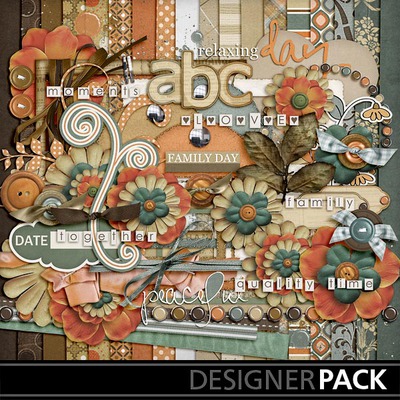
Today I made this layout from Quality Time kit that I got from My Memories store, by Trixie Scraps Designs (check her blog here). The photo strip frame is from LeeLou Designs (check her store here) and you can get this from My Memories Facebook Friday Freebie here today.
I used Adler (free download here) to the date tag and Digs My Hart (free download here).

I use My Memories Suite V3 software. I just LOVE this software so much. It’s easy, fast and fun. It’s compatible with any computers you have, Windows or Mac. You can make not only digital scrapbook pages, but also photo book albums, blog header, clusters, etc. You can find the helpful video tutorials here. Visit the blog here and Facebook fan page here for updates, more tips, challenges and freebies.

Code: STMMMS3393

Get the FREE TRIAL for MMS software and do some experiment with it. I guarantee You’ll LIKE it 😀 And if you do, use this coupon code: STMMMS3393 to get $10 OFF when you buy the software (just copy and paste the code when you check out, case sensitive). PLUS you will get $10 gift certificate to the online digital store!

I also blog here. Have fun and be creative 😀

Layout 2012: Egg Hunt

Inspired by a digital scrapbook friend, I plan to make a layout a day and hopefully by the end of the year I will have our 2012 Scrapbook Album (*crossing my fingers* ^_^)

Spring Delight Kit by Marie H Design

For this layout, I used:

Spring Delight Kit by Marie H Design, find more of her kit collections HERE.

Font: AJF Mad Hatter by Studio Tangie (tag date), find more of her collections HERE; and Cry Kitty (title) you can download for free HERE.

Code: STMMMS3393

I use My Memories Suite V3 to design this layout. It is very easy to use, fast and FUN! It’s compatible with Windows PC and Mac friendly, too. If you would like to know more about this My Memories Suite V3 software, you can go to their website HERE, or visit My Memories Blog for Tutorials, Tips, Challenges, and Freebies.

You can download for a FREE TRIAL before you decide you want to buy it. I guarantee that YOU WILL LIKE IT 😀 and if you do, you will get $10 OFF with this code: STMMMS3393 (copy and paste when you check out). PLUS you will get $10 gift certificate to the online digital store!

Always be thankful!

Layout 2012: Me & My Girl

Me & My Girl

This is a layout I made early this morning. I just LOVE IT! Each picture is my favorite pictures of my girl and me.

In 2009 she was 3 months old and it was when we went to attend our friends’ wedding in Atlanta, GA. It was her first long road trip.

In 2010 she was 14 months old when we took her to Indonesia. That was her first trip on the airplane and our first 20 hours flight with a baby. It was quite an adventure for everyone.

In 2011 she was 26 months old. We took her for a walk at Shawnee State Park and she just loved the nature. Walking in the woods is one of our outdoor family activities since she was a baby.

In 2012 we took this picture with my iPhone in March, yes we had a very warm day that day! She just turned 3 when we took that picture.

For this Digital Scrapbook layout I used:

Kit: SuzyQ Scrap Celebrate {You} Quickpage, it’s free to download here.
Alphas: Celebrate {You} Kit, check her store here.
Font: Old Stamper, download for free here.

Celebrate You Quick Page

Celebrate You Kit by SuzyQ Scraps

I blog HERE too! Thanks for visiting 😀 Have a great day!

Layout 2012: For My Mom

Happy Mother's Day

On this mother’s day, I made this layout specially for my mom. I miss her so much, not only today, but every day!

I submitted this layout for Inspired by Anastasia Scraplift Challenge at SuzyQ Scraps blog here. You also can check out SuzyQ Scrap website for entering this challenge until May 31, 2012 at 11:59 p.m.

Font for the Big Title is Peabody (you can download for free here) and for journaling I used Pea Lauren France (you can also download for free here).

The template is provided by Anastasia. You can check her gallery here and it is free to download here.

I used Thinking of Mom Kit, by SuzyQ Scraps. You can check her kit collections at her store here, which are awesome ones 😀
I blog HERE too! Thanks for visiting 😀 Have a great day!

Where We First Time Met

Write On Instagram!

I LOVE INSTAGRAM! And I always wanna post something on my Instagram gallery (hmm… you can follow me HERE). This time I found away how to write on my pictures, beside just label it with other application. This time I can write it with my own handwriting hough kind of weird for the first time and turned out not so good but I like it 😀

Next time I try using the stylus.

Wanna know how? Thanks to Amy Tangerine for sharing her tips and how she does it here.

Go ahead and check it out. I am pretty sure it’s easy to follow and you’ll have SO MUCH FUN!